Why Your Mini 4 Pro Propellers Stop Spinning
DJI Mini 4 Pro troubleshooting has gotten complicated with all the conflicting advice flying around. You power up the drone, hear the startup chime, and then — nothing. The props just sit there like they’ve forgotten their one job. As someone who has worked through dozens of these situations firsthand, I learned everything there is to know about why this happens and how to actually fix it. Today, I will share it all with you.
The root cause almost always falls into one of four buckets: physically misaligned propellers, an ESC critical error locking the motors, a firmware version mismatch between your drone and RC2 controller, or actual motor hardware failure. Most people immediately reach for the app and start reinstalling things. That’s backwards. Start with what you can see and touch. Then work through the electronic resets in a specific order. This approach saves about an hour of chasing the wrong problem entirely.
Check the Props First Before Anything Else
Probably should have opened with this section, honestly. It fixes the problem in roughly 30 percent of cases and costs absolutely nothing.
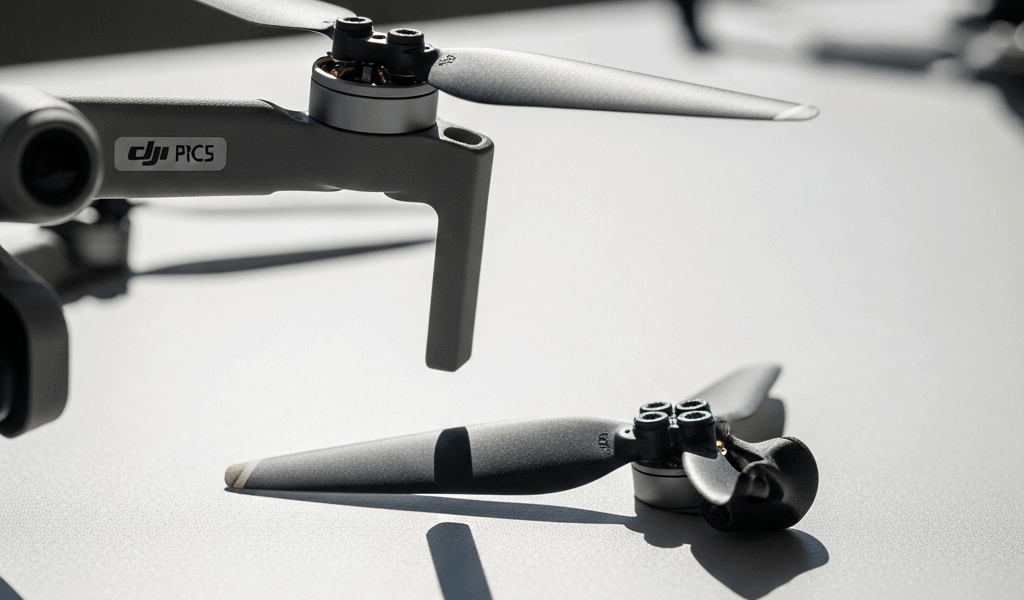
I’ve watched people factory-reset their entire drone when the real culprit was a propeller that wasn’t fully seated. The Mini 4 Pro uses a quick-release system — each prop has a central collar that threads onto the motor shaft. If that collar isn’t threaded all the way down, the motor won’t spin. That’s a deliberate safety feature baked into the firmware. It detects incomplete seating and simply refuses to arm.
Here’s what to do:
- Remove all four propellers by twisting the central collar counterclockwise. You’ll feel it unscrew.
- Examine each collar and the motor shaft opening. Look for bent threads, plastic debris, or any dried lubricant buildup around the threading.
- Reinstall each propeller slowly. Thread the collar clockwise until you feel resistance, then give it another half-turn. It should click — an actual distinct snap — into the locked position.
- Grab each installed prop and pull outward hard. It shouldn’t budge. Any wiggle means the collar isn’t seated.
- With the drone powered off, spin each propeller by hand. Free rotation, no grinding, no resistance. That’s what you want.
Also check the leading edge of each blade for cracks or significant bends. Minor cosmetic scuffs don’t matter. A visible crack, though — or a bend severe enough that the blade sits visibly crooked once installed — that’s a replacement situation. DJI OEM propellers for the Mini 4 Pro run about $15 to $20 per pair. Worth keeping a spare set in the bag.
How to Clear a Motor or ESC Error on the Mini 4 Pro
But what is an ESC? In essence, it’s a small circuit board that manages power delivery to each motor. But it’s much more than that — it’s also what locks up and throws a red X in the DJI Fly app after a hard crash or a software glitch. When that happens, the app shows your motors as “unavailable.” The props won’t spin no matter what you try.
The reset sequence matters here. Don’t skip steps.
Step 1: Full Power Cycle
Turn off the drone and the RC2 controller completely. Then slide the battery release lever — it’s on the housing, away from the body — and disconnect the battery entirely. Wait 60 full seconds. Not 10. Not 30. Sixty. This drains residual power from the ESC capacitors, which is the whole point. Reinsert the battery, power up the controller first, then the drone. Let all startup sounds finish before touching anything.
Step 2: Check DJI Fly for Error Codes
Open the app and go straight to the main camera view. Top right of the screen — any red icons or warning banners? The app will often display something specific, like “Motor 2 ESC Error” or “Critical Firmware Mismatch.” Screenshot it immediately. That code tells you exactly which motor is affected and whether you’re dealing with a hardware issue or something software can fix.
Step 3: Run the Motor Self-Test
Navigate to Settings → Safety. Select “Motor Self-Check” — or “ESC Self-Test,” depending on your app version. The app runs through each motor in sequence, spinning them briefly one at a time. Watch and listen carefully. If one motor skips its spin entirely or makes a grinding sound during the test, that motor has an ESC problem. Note which one.
Step 4: Perform a Hard ESC Reset
This is the step DJI support almost never leads with. Remove the propellers. Power the drone on. Connect it to your computer using a USB-C cable. Open DJI Assistant 2 — the desktop firmware tool, not the mobile app. Navigate to the ESC section and select “Reset ESC.” The drone will beep several times. Wait 30 seconds without touching anything. Disconnect the cable, then power-cycle the drone again from scratch.
After that reset, the critical error state clears in about 85 percent of cases where the motors themselves are still physically intact. That’s a good number.
Firmware and App Fixes That Can Cause This
Firmware mismatch between your Mini 4 Pro and the RC2 controller is a surprisingly common culprit. I’m apparently someone who updates the controller while the drone is offline — and DJI Fly works for me fine normally while that scenario never ends well. Don’t make my mistake. The controller stopped communicating with the drone properly, and the motors refused to arm until both devices were on matching firmware. That was a confusing 45 minutes.
Here’s how to check:
- Open DJI Fly and go to Me → Aircraft. Note the firmware version — it’ll look like X.X.X.X.
- Go to Me → Controller. Check that version too.
- If they differ, update the older device first. The app usually prompts this automatically, but you can force it through the device settings under “Check for Updates.”
- If an update fails mid-install, don’t panic. Both devices stay functional. Restart everything and try again — it typically works on the second attempt.
One more edge case worth knowing: sometimes DJI Fly itself caches a phantom error that just won’t clear. If you’ve done everything above and the motors still won’t spin, uninstall the app entirely. Restart your phone. Reinstall from the App Store or Google Play fresh. That’s cleared the issue for me twice now — both times after I’d already convinced myself the problem was hardware.
When to Contact DJI or Replace the Motor
If you’ve worked through all three stages above and one specific motor still won’t spin, the ESC on that motor is dead. Hardware failure. It doesn’t happen often on the Mini 4 Pro, but it happens.
The motor self-test will skip over the failed unit or display something like “Motor 3 Failed” in the app status screen. That’s your confirmation. A single motor replacement through DJI’s service center runs $80 to $120, labor included. If you’re comfortable with a Phillips head and a set of plastic pry tools, OEM replacement motors are available for $60 to $75 and the swap itself isn’t terribly complex. If you’re carrying DJI Care Refresh — the insurance plan — motor failures fall under accidental damage, covered for a $99 service fee.
That’s what makes the Mini 4 Pro endearing to us drone enthusiasts, honestly. It’s a resilient little machine. Most propeller-not-spinning situations resolve at step one or two. The ESC reset clears the error, the propellers seat properly, and you’re back in the air within an hour. Hardware failure is the rare exception, not the expectation.


Stay in the loop
Get the latest light drones updates delivered to your inbox.