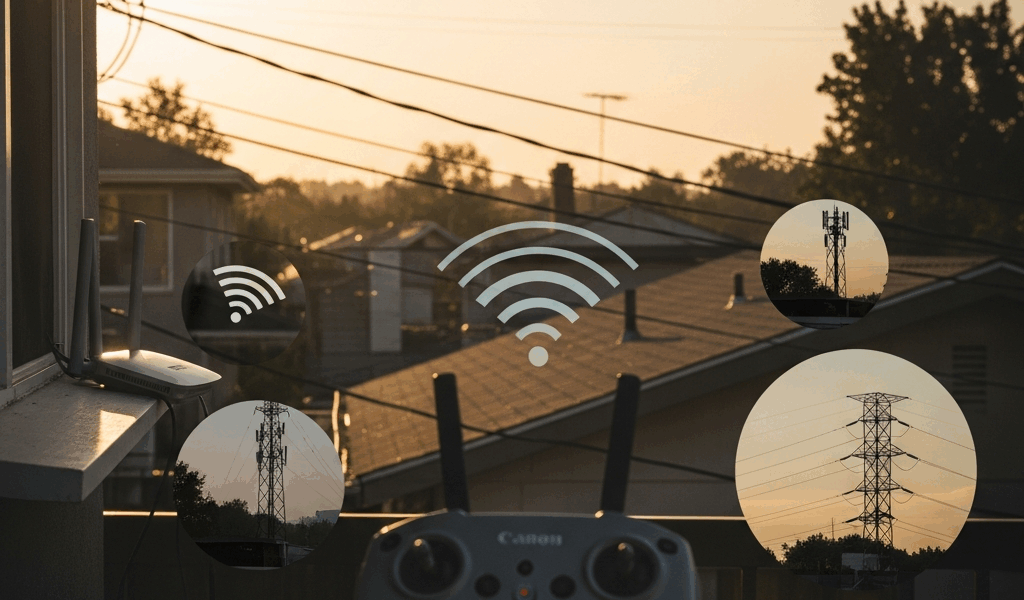
Why the Mini 4 Pro Keeps Dropping Connection Mid-Flight
DJI Mini 4 Pro disconnects have gotten complicated with all the bad advice flying around. Most forums will tell you it’s interference, full stop, and leave you to figure out the rest. But after flying mine into enough frustrating situations — a crowded waterfront festival, a concrete parking structure, and one genuinely terrifying moment over a reservoir — I learned everything there is to know about why this drone cuts out. Today, I will share it all with you.
There are three real culprits. Your radio band fighting nearby Wi-Fi networks. The DJI Fly app silently losing its handshake with the drone — not the drone’s fault, weirdly. Or you’ve pushed past realistic range for the environment you’re actually flying in. They almost never happen together. Walk through the fixes below in order. Most people solve it at step one.
Fix 1 — Reduce Radio Interference Around You
Probably should have opened with this section, honestly. The Mini 4 Pro’s OcuSync transmission runs on 2.4GHz and 5.8GHz. Urban parks, apartment complexes, festival grounds, shopping center parking lots — they absolutely flood 2.4GHz with routers, baby monitors, competing drones, wireless speakers. Your controller defaults to 2.4GHz because it stretches farther in open space. That’s fine until the RF noise makes the band unusable within seconds of takeoff.
The fix is straightforward:
- Open DJI Fly on your phone or tablet
- Tap the three-line menu — top left corner
- Go to Transmission
- Select OcuSync Channel
- Switch from 2.4GHz to 5.8GHz
5.8GHz is less crowded. Your range shrinks — roughly 3 to 5 kilometers instead of the advertised 20 — but the connection stabilizes dramatically in noisy environments. That trade-off matters when you’re flying within visual range anyway, which you should be.
One thing worth knowing: the RC 2 controller, the newer remote with the built-in screen, handles band-switching inside the remote itself rather than the app. Hold the power button, navigate to Transmission Settings on the remote display, and toggle the channel there. The RC-N1 — the older smartphone-mounted remote — uses the app method above. Different controllers, different menus. I’m apparently an RC-N1 user and that method works for me while the RC 2 path never crossed my mind until a friend stood there confused at a park in Hoboken last spring.
There’s a second interference source hiding in your pocket. Running your phone’s Wi-Fi hotspot for live streaming, or keeping Wi-Fi active as a secondary display — that radio sits maybe three inches from the controller antenna. Turn Wi-Fi off completely during flight. Switch to airplane mode, wait five seconds, re-enable Bluetooth only. That’s it. Sounds paranoid until a disconnect disappears the exact moment you do it. Don’t make my mistake of ignoring this for six flights before figuring it out.
Flying near buildings makes everything worse. A warehouse, a parking garage, a concrete stadium — the signal bounces off metal and hard surfaces and falls apart fast. Move outside and away from the exterior wall. If you must fly indoors, keep the drone within 30 meters of the controller and watch that signal bar like it owes you money.
Fix 2 — Restart the App and Refresh the Connection
But what is a silent app crash? In essence, it’s DJI Fly freezing or dying in the background while the drone keeps flying completely unaware. But it’s much more than that — it’s one of the most common sources of “disconnected” panic because everything looks catastrophic when it isn’t. Your video feed freezes. The controller vibrates. You see red text. The drone is fine. The app isn’t.
I made this mistake twice before understanding the difference between a drone disconnection and an app disconnection. That’s what makes this particular failure so endearing to us Mini 4 Pro owners — it feels like hardware failure until you actually learn what’s happening.
The restart sequence has a specific order and it matters:
- Close DJI Fly completely — swipe it out of recent apps, don’t just minimize it
- Power off the controller first — hold the power button until it fully shuts down
- Wait 10 seconds
- Power off the drone — hold the battery’s power button until it powers down
- Wait 5 seconds
- Power on the controller — press once, wait for the indicator lights to stabilize
- Power on the drone — press once, wait through the full startup sequence
- Reopen DJI Fly and wait for the video feed to fully initialize before arming motors
Controller first, drone second. Every time. It establishes the radio handshake cleanly rather than forcing the drone to hunt for a signal mid-startup.
On Android, clear the DJI Fly app cache as a secondary step. Go to Settings > Apps > DJI Fly > Storage > Clear Cache. Removes temporary flight data and cached files causing instability — without touching your mission history or login credentials. Takes about 15 seconds.
Check for app updates before every session. A disconnect mid-flight might trace back to a known bug — DJI patched several in v1.8.2 and later builds. Pending updates sitting ignored in your app store have caused more “hardware problems” than actual hardware has.
Fix 3 — Check Your Range and Line of Sight
DJI lists the Mini 4 Pro at 20 kilometers maximum transmission distance. That’s in open field conditions, no obstacles, no interference, FCC mode. Real-world range in a typical suburban or semi-urban environment runs closer to 8 to 10 kilometers on a good day — and drops hard the moment trees, buildings, or hills enter the picture.
Watch the signal bar in DJI Fly. Five bars is solid. One bar is a problem. Drop below two bars and bring the drone back immediately. The link doesn’t degrade gracefully near the edge — it fails hard and fast once the signal bar goes red.
Keep the controller antenna perpendicular to the drone at all times. Drone flying north? Antenna should face north or south, not east or west. Drone climbing above you? Angle the antenna downward. Antenna orientation shifts signal strength by 5 to 10 decibels — that sounds like a footnote until a disconnect clears up the moment you adjust your grip.
Never fly directly behind large obstacles. Dense tree lines, multi-story concrete buildings, metal structures — all of them block 2.4GHz and 5.8GHz hard and without much warning. The signal cuts before anything shows on screen. If there’s a cluster of trees between you and the drone at your local park, you’ll lose connection before you see it coming.
Check the controller battery before every flight. Below 20 percent, transmission quality degrades noticeably and disconnects follow. Charge it to full — 100 percent, not “good enough.” I’ve seen people spend $340 on a replacement RC 2 controller when a $15 charging cable and a full overnight charge solved the exact same symptoms.
When to Contact DJI Support or Replace Hardware
So, without further ado — if disconnects happen consistently within 50 meters, with zero interference present, after you’ve worked through all three fixes above, the hardware is probably defective. The antenna connector inside the controller or the video transmission module on the drone itself may have failed. Those don’t fix themselves.
Before calling DJI, pull your flight logs from DJI Fly. Go to Profile > Flight Records, select the flight where the disconnect happened, and tap Export Flight Data. Save the .dat file somewhere accessible. DJI support uses these logs to identify hardware failures — providing them upfront cuts weeks off a warranty claim. Show up without them and the process gets slower.
DJI Care Refresh covers hardware replacement for $39 to $69 depending on the plan tier, no questions asked. Check your original purchase receipt or log into the DJI website to confirm whether your Mini 4 Pro is still enrolled. Out of warranty with persistent disconnects? Replacement typically runs cheaper than continued troubleshooting — especially once antenna connectors are involved.

Stay in the loop
Get the latest light drones updates delivered to your inbox.